
Why does your video host matter more than you think?
You've spent weeks on a landing page. The copy is tight, the design is clean, and then you embed a video. Suddenly you've handed Google, Vimeo, or Wistia a seat at your table — and they brought tracking scripts, suggested videos, and a branded player you can't change.
Your video host affects four things you care about: how fast your page loads, how your player looks, whether you're GDPR-compliant, and how much you pay every month. This comparison covers YouTube, Vimeo, Wistia, Bunny.net, and SuperMoo across all five criteria.
The five criteria we're comparing
Every platform gets scored on the same five dimensions:
- Speed — embed load time and LCP impact
- Customization — player branding, colors, controls
- Price — what you actually pay for real usage
- GDPR — what fires on page load, and what you're liable for
- Support — how you get help when something breaks
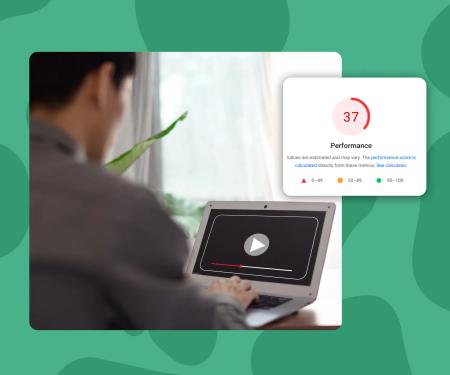
A good LCP score is 2.5 seconds or less. Every host here can hurt or help that number depending on how you embed.
YouTube: free, fast to upload, and hard to control
YouTube is where most people start. It costs nothing, your videos are hosted on Google's infrastructure, and uploading takes minutes.
But the trade-offs stack up fast once you care about how your site looks and performs.
Speed
YouTube embeds load a significant amount of JavaScript before your video even plays. The standard iframe pulls in roughly 500KB of blocking resources on page load. You can work around this with a facade pattern (loading a thumbnail first, then the iframe on click), but out of the box, YouTube will push your LCP past 2.5 seconds on most pages.
Customization
You can hide the controls bar and suppress the YouTube logo using URL parameters, but you can't change the play button color, remove the recommended videos that appear at the end, or match the player to your brand. The end-card problem is real: after your video finishes, YouTube shows your competitor's content.
Price
Free. No storage limits for standard uploads. That's genuinely hard to beat if you're not building a branded product experience.
GDPR
This is YouTube's biggest problem for European businesses. The standard YouTube embed fires Google cookies on page load, before any user consent. You need youtube-nocookie.com embeds and a consent mechanism to stay compliant. Most sites don't bother, which means most sites are non-compliant.
Support
There is no support. You're working with documentation, community forums, and whatever you can find on Stack Overflow.
Vimeo: polished player, pricing that adds up
Vimeo built its reputation on a clean, good-looking player. If you're a filmmaker or creative agency, Vimeo has been the default premium choice for years.
Speed
Vimeo embeds are lighter than YouTube's by default, but they still inject third-party scripts that affect your Core Web Vitals. Using Vimeo's privacy-enhanced embed helps, but you're still looking at meaningful render-blocking if you embed multiple videos on one page.
Customization
Vimeo Pro and above lets you set player colors and hide the Vimeo logo. You get reasonable control over the player appearance. You can't match every pixel to your brand, but it's a lot cleaner than YouTube.
Price
Vimeo's pricing starts at around $20/month for Starter, climbing to $65/month for Pro and $108/month for Business (2025 pricing, billed annually). Storage limits apply at each tier, and bandwidth overages are possible on busier plans. For a small agency or indie maker, the monthly cost is meaningful.
GDPR
Vimeo has a privacy-enhanced mode (by setting dnt=1). Used correctly, it reduces tracking. But Vimeo still sets cookies in standard embed mode, and the default iframe is not GDPR-safe without configuration. You need to know what you're doing to stay compliant.
Support
Email support on paid plans, with priority support on higher tiers. Response times are generally reasonable. There's a solid help center and an active community forum.
Wistia: built for marketers, priced for enterprise
Wistia is a genuinely great product if you need deep video analytics, lead capture forms inside the player, and integration with HubSpot or Marketo. It's designed for marketing teams, and it shows.
Speed
Wistia's player is well-optimized. They've invested heavily in async loading and their embed scripts are leaner than YouTube's. In controlled tests, Wistia embeds perform reasonably well on LCP — often hitting sub-2.5s on fast connections with a single video. Multiple embeds on one page still add up.
Customization
Wistia gives you excellent player customization: colors, thumbnail, play button style, and full removal of Wistia branding on paid plans. If you want a branded video experience, Wistia is the most polished option among the legacy platforms.
Price
This is where Wistia stings. The free plan caps you at 3 videos and 200 plays per month. Wistia Plus is $24/month for 20 videos. Beyond that, pricing scales significantly. For anything approaching real usage volume, you're looking at $99/month or more. That's a real commitment for smaller teams.
GDPR
Wistia's privacy mode (setting doNotTrack=true) disables analytics tracking. But the default embed is not GDPR-safe. You need to manually configure embeds and still need a consent mechanism if you're collecting viewer analytics. Wistia's data processing is US-based, which adds GDPR complexity for EU businesses.
Support
Wistia's support is genuinely good. Live chat on higher plans, fast email response, and excellent documentation. If you pay more, you get better support — and Wistia delivers on that.
Video Hosting Compared: YouTube vs Vimeo vs Wistia vs SuperMoo in 2026
Video hosting is the service that stores, encodes, and delivers your video files to viewers. Unlike self-hosting, a video host handles transcoding, CDN delivery, and the player embed. Your choice affects page load speed, viewer privacy, how much control you have over the player's appearance, and your legal obligations under GDPR.
Key concepts
- Largest Contentful Paint (LCP)
- LCP measures how long it takes for the largest visible element on a page to render. Google considers 2.5 seconds or under a good score. Video embeds are frequently the largest element on a landing page, which means your video host directly determines whether you pass or fail this Core Web Vitals metric.
- Privacy-enhanced embed mode
- Some video hosts (YouTube and Vimeo included) offer a version of their embed that fires fewer cookies on page load. YouTube's version uses the [youtube-nocookie.com](http://youtube-nocookie.com) domain. Vimeo uses a `dnt=1` parameter. These modes reduce tracking but don't eliminate all data collection, and they require deliberate configuration — they're not the default.
- Player customization
- The degree to which you can change how a video player looks on your site. Full customization means you can set colors, hide or show controls, remove the host's logo, change the play button shape, and set a custom thumbnail. Minimal customization means the player looks like the platform's default, regardless of your brand.
- Facade pattern (video embed)
- A performance technique where you display a static thumbnail image instead of loading the full video embed on page load. The actual iframe only loads when a visitor clicks to play. This dramatically reduces the initial page weight from video embeds and is one of the most effective ways to improve LCP when using YouTube or Vimeo.
- CDN delivery
- A Content Delivery Network serves your video from servers geographically close to each viewer. Instead of one central server handling all requests, a CDN has nodes in dozens of countries. [Bunny.net](http://Bunny.net) is a CDN-first business. Other hosts like Vimeo and Wistia also use CDNs for delivery, but the underlying infrastructure quality varies.
SuperMoo insights
- We've embedded video from every major platform while building Webflow sites, and the single biggest surprise is how often the video embed is the heaviest element on the page — heavier than images, heavier than fonts. On a project for a SaaS client, switching from a standard YouTube iframe to a lightweight async embed dropped LCP by 1.8 seconds on mobile. That's the difference between a green Core Web Vital and a red one.
- The GDPR issue with YouTube and Vimeo catches people off guard because it's invisible. Your cookie banner fires, the user declines, and the YouTube embed has already loaded three Google cookies. We've seen this in client audits more times than we can count. Building SuperMoo to be GDPR-safe by default wasn't a feature request — it was something we needed ourselves.
Bunny.net: developer-friendly CDN with a video layer
Bunny.net is primarily a CDN that added video hosting (Bunny Stream). If you're comfortable with technical configuration and want raw speed at low cost, it's worth considering.
Speed
Bunny.net is built on a CDN, so delivery speed is genuinely excellent. Video is served from the edge closest to your viewer. LCP performance is strong if you configure things correctly.
Customization
Bunny Stream's player is customizable but requires more technical work to style than Wistia or SuperMoo. You get color options and basic branding controls. The player isn't as polished out of the box.
Price
Bunny.net charges per GB of storage and per GB of bandwidth delivered. It's very cheap at low volume ($0.01/GB bandwidth on some regions) and scales cleanly. If you have very high traffic, this model can be significantly more cost-effective than seat-based SaaS pricing.
GDPR
Bunny.net is a European company (headquartered in Slovenia), which helps with GDPR. Their infrastructure can be configured to keep data within the EU. That's a meaningful advantage over US-based competitors.
Support
Ticket-based support. Response times are decent. Documentation is good for developers. If you're not technical, you may find it harder to get quick answers.
SuperMoo: built by a Webflow agency that kept hitting this exact wall
SuperMoo was built by a Webflow agency that kept running into the same problem: every video host either slowed the page down, leaked tracking data to third parties, or cost too much for what it offered.
Speed
SuperMoo embeds load 3x faster than YouTube, Vimeo, or Wistia. The player is lightweight, async by default, and designed to keep your LCP score under 2.5 seconds even with multiple embeds on a page. There are no third-party scripts loading before the video plays.
Customization
You get full control over player colors, border radius, play button style, and thumbnail. There is no SuperMoo branding on the player. What you design is what your visitors see. No workarounds, no extra tiers required.
Price
Plans start from EUR 9/month. That's a fraction of Wistia's pricing for comparable video quality and player control. You're not paying for a CRM integration you don't need.
GDPR
GDPR-safe by default. No third-party tracking scripts fire on page load, and no cookie consent banner is required for the video embed itself. For EU businesses, this is the cleanest out-of-the-box option in this comparison.
Support
Direct support from the team that built the product. No tiered response times based on your plan size.
Side-by-side comparison table
Which platform should you actually use?
The answer depends on what you're optimizing for.
Choose YouTube if: you need free hosting and don't care about branding, GDPR, or performance.
Choose Vimeo if: you want a clean player and you're in the creative industry where Vimeo's reputation matters to your clients.
Choose Wistia if: you have a marketing team that needs video analytics, lead capture, and deep CRM integration, and you have the budget for it.
Choose Bunny.net if: you're a developer, you want the lowest possible cost at high volume, and you're comfortable with technical configuration.
Choose SuperMoo if: you're building on Webflow or a similar visual platform, you care about page speed, you need GDPR compliance without a setup headache, and you want a player that looks like yours.