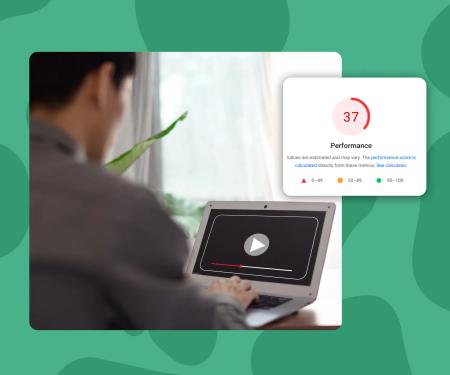

Why everyone puts background videos on their website
A background video in your hero section is one of the fastest ways to make a site feel alive. It communicates motion, energy, and production quality in the first three seconds a visitor lands on your page.
That's a real advantage. A static image just can't move the same way. And for industries like hospitality, fitness, fashion, and SaaS, that first impression carries serious commercial weight.
So it makes sense that background videos are everywhere. The problem is that most of them are implemented in ways that quietly destroy performance.
Why most background videos wreck mobile performance
Here's what usually happens. Someone drops a 15MB MP4 file into their hero section, adds autoplay, and ships it. On a desktop with fiber internet it looks fine. On a mid-range Android phone on 4G, it's a disaster.
The page stalls. The Largest Contentful Paint (LCP) score tanks. The visitor bounces before the video even starts playing.
This matters more than you might think. Sites that pass Core Web Vitals see 24% less page abandonment. Vodafone ran an A/B test where improving LCP by just 31% led to 8% more sales. Video is often the single biggest obstacle to hitting those thresholds.
The four most common mistakes
- Serving one heavy file to every device. A desktop-quality MP4 pushed to a mobile phone wastes bandwidth and triggers buffering.
- No lazy loading. The video file starts downloading the moment the HTML is parsed, even if the user never scrolls to see it.
- Embedding a full player. Tools like YouTube and Vimeo load their entire player SDK just to show a muted background clip. That's hundreds of kilobytes of JavaScript your visitor didn't ask for.
- Autoplay without preload control. Most browsers block autoplay with sound, but they'll still preload the file unless you explicitly tell them not to.
Any one of these can push your LCP past 4 seconds. All four together and you're looking at a page that Google actively penalizes in rankings.
What actually makes a background video fast
Speed comes down to four things: file size, delivery method, loading strategy, and player weight.
File size and format
MP4 encoded with H.264 is the safest format for broad compatibility. But WebM with VP9 is around 30% smaller at equivalent quality. Serving WebM to browsers that support it (most modern ones do) and falling back to MP4 is the right move.
Target file sizes: under 5MB for a 15-second loop at 1080p. Under 2MB for mobile. If your file is larger, re-encode it.
Adaptive streaming
Adaptive bitrate streaming (ABR) means the player automatically serves a lower-quality version when the connection is slow. Instead of one 15MB file, you serve several versions and the player picks the right one in real time.
This is what YouTube and Netflix do. It's also what you should be doing for background video.
Lazy loading
Lazy loading means the video file doesn't start downloading until it's actually needed, usually when it enters the viewport. On a long page, this means a video halfway down the page won't block resources needed to load your hero text.
The browser attribute loading="lazy" handles this for images. For video, you need either a data-src approach with an Intersection Observer, or a hosting platform that handles it for you.
No heavy player scripts
For a muted autoplay background clip, you don't need a play button, a progress bar, or a volume slider. You don't need a 400KB player SDK. You need a video tag and a fast CDN.
Every kilobyte of JavaScript you load blocks the main thread. For background video specifically, the lightest possible implementation is always the fastest.
What is adaptive bitrate streaming for background video?
Adaptive bitrate streaming (ABR) is a delivery method where multiple versions of a video file are encoded at different quality levels. The player automatically selects the right version based on the viewer's connection speed, serving a lighter file on slow mobile connections and a higher-quality version on fast ones.
Key concepts
- Largest Contentful Paint (LCP)
- LCP measures how long it takes for the largest visible element on a page to fully load. Google considers anything under 2.5 seconds a passing score. Background videos frequently become the LCP element in hero sections, making their load time the single biggest factor in whether a page passes or fails Core Web Vitals.
- Lazy Loading (video)
- Lazy loading delays the download of a video file until it is about to enter the user's viewport. Without it, every video on a page begins downloading on page load, competing for bandwidth with critical resources. For background videos placed below the fold, lazy loading can meaningfully reduce initial page weight and improve LCP scores.
- Player SDK
- A player SDK is the JavaScript library a video host loads to power its player interface, including controls, analytics, and branding. For platforms like YouTube, Vimeo, and Wistia, this SDK can weigh 300-500KB. Loading it for a muted autoplay background clip adds significant JavaScript parse time with no functional benefit to the user.
- WebM / VP9
- WebM is a video container format developed by Google, typically paired with the VP9 video codec. At equivalent visual quality, VP9 WebM files are around 30% smaller than H.264 MP4 files. Most modern browsers support WebM, making it a practical choice for reducing background video file size while maintaining quality.
- Core Web Vitals
- Core Web Vitals are a set of performance metrics defined by Google that measure real-world user experience: LCP (load speed), INP (interactivity), and CLS (visual stability). Google uses these scores as a ranking signal. Video is the most common single element causing pages to fail LCP thresholds.
SuperMoo insights
- When we were building Webflow sites for clients, the single most common performance regression we introduced was a background video in the hero. Webflow's native background video tool uploads one file and serves it to everyone. On a 4G mobile connection, that meant LCP times of 6-8 seconds before we even touched anything else on the page. Switching to an embed with adaptive streaming cut that to under 2 seconds on the same connection.
- The YouTube embed trick (using a muted iframe with autoplay for background video) is more common than people admit, and it loads the full YouTube player SDK regardless of whether any controls are visible. We measured this at 480KB of JavaScript on a clean page. For a background video that the user never interacts with, that's pure overhead with zero benefit.
How SuperMoo handles background video natively
SuperMoo was built by a Webflow agency that kept running into this exact problem on client projects. The background video embed loads 3x faster than YouTube, Vimeo, or Wistia because it skips the heavy player SDK entirely.
Here's what happens when you use SuperMoo for a background video:
- You upload your video once. SuperMoo encodes it into multiple bitrates automatically.
- You set the embed to background mode. The player UI disappears. No controls, no branding, no SuperMoo logo.
- The embed uses adaptive streaming by default. Slow mobile connections get the lighter version. Fast desktop connections get the full quality.
- Lazy loading is on by default. The video only loads when it enters the viewport.
- No third-party tracking scripts are injected. GDPR-safe by default, no cookie consent banner required.
You get full control over the container: border radius, autoplay behavior, fallback poster image, and aspect ratio. All from a single embed snippet that doesn't weigh down your page.
What this looks like on a website
On a website, you'd paste the SuperMoo embed into a div block set to position relative, with the video positioned absolute to fill the parent. You set the container height, add a semi-transparent overlay if you want text legible on top, and you're done.
No custom JavaScript. No fiddling with native background video tool (which serves a single file with no adaptive streaming). No bloated iframe from YouTube with its autoplay restrictions and recommendation overlays bleeding through.
The whole setup takes about five minutes. And your LCP score doesn't take a hit.
Hero background videos
If you use a video background in the hero section of your website, different rules apply. Millions of websites use hero background videos, and almost all suffer as a result.
Using SuperMoo Hero Background Video Optimizer is a unique advantage that no other solution offers. The video background is not served until the page is loaded, but a thumbnail appears and fades into the video seamlessly, almost instantly. You maintain the hero background wow factor whilst improving your pagespeed significantly. Automata increased pagespeed by 67% via this method using SuperMoo.
How to audit your current background video setup
Before you change anything, measure where you are. Here's a quick process:
- Open PageSpeed Insights and run your URL.
- Look at the LCP score and what element is flagged as the LCP element. If it's your background video or an image overlaid on it, that's your problem.
- Check the "Opportunities" section for "Reduce unused JavaScript". A YouTube or Vimeo embed will often show 300-500KB of unused scripts.
- Run the same test on Mobile (the default) rather than Desktop. Mobile scores are what Google uses for ranking.
- Note your current LCP time in seconds. Anything above 2.5 seconds is a failing grade by Google's standard.
Once you have a baseline, swap the background video implementation and re-run. A well-optimized background video should not add more than 0.5 seconds to your LCP.
The mobile-first checklist for background video
If you want a background video that works everywhere without the performance penalty, run through this list:
- Video file is under 2MB for the mobile version
- WebM format is served to supporting browsers
- Adaptive streaming is active (multiple bitrate versions exist)
- Lazy loading is enabled
- No full player SDK is loaded for a muted clip
- A static poster image is shown while the video loads
- The video is set to
mutedandplaysinlinefor iOS autoplay compatibility - The implementation is GDPR-safe with no tracking scripts
A background video that passes all of these can actually improve perceived performance compared to a heavy static hero image. When done right, it's one of the best tools you have for first impressions.