
Why testimonial videos outperform text quotes
A written quote with a headshot is fine. A video of a real customer saying the same words is something else entirely.
Viewers retain 95% of a message delivered by video versus 10% from text, according to Insivia's research. That gap matters when someone is deciding whether to trust you with their money.
Testimonial videos also answer the subconscious question every buyer has: "Does this person seem genuine?" Body language, tone of voice, and hesitation (or lack of it) communicate what a polished pull-quote never can.
What makes a testimonial video actually convert?
The short answer is specificity. "It changed our business" does nothing. "We cut our onboarding time from 14 days to 3" does a lot.
Keep testimonial videos between 60 and 90 seconds. That's long enough for a real story and short enough to hold attention on a landing page. Anything over 2 minutes sees significant drop-off before the payoff.
One speaker per video works better than a montage. Montages feel produced. A single person talking directly to camera feels like a recommendation from a real human.
The most common mistakes when embedding testimonial videos
Most marketing managers get the video content right. Then they drop it onto the page in a way that kills performance, breaks compliance, or looks generic.
Here are the four mistakes that come up again and again.
Mistake 1: Using a standard YouTube embed
YouTube embeds are free and easy. They're also a legal liability.
A standard YouTube iframe sets tracking cookies the moment the page loads, before any visitor clicks anything. That violates GDPR and CCPA requirements for explicit consent. You'd need a cookie consent banner just to show a video, and even then, the banner itself creates friction that hurts conversion.
YouTube also shows competitor ads before and after your testimonial, suggested videos when it ends, and YouTube branding throughout. You worked hard to get that customer on camera. Don't let YouTube use it to advertise someone else.
Mistake 2: Autoplay without mute
Autoplay sounds like a great idea in a meeting. It feels aggressive when you're the visitor.
Browsers block autoplay with sound by default anyway, so you'll often get a broken experience: a video stuck at frame one, silently not playing. If you do want autoplay, always pair it with muted and loop for ambient background clips only. Never autoplay a testimonial. Let the visitor choose to watch.
Mistake 3: No custom thumbnail
A blank grey player or a random mid-blink frame is a conversion killer. The thumbnail is the CTA for your video. It needs to show a real person with a confident, natural expression.
A good thumbnail increases play rates by up to 154%, according to Wistia's 2023 State of Video report. Set one deliberately on every single testimonial you publish.
Mistake 4: Hosting the video file directly on your server
Some teams skip external hosting entirely and upload an MP4 straight to their CMS or Webflow Assets. This seems simpler but creates real problems.
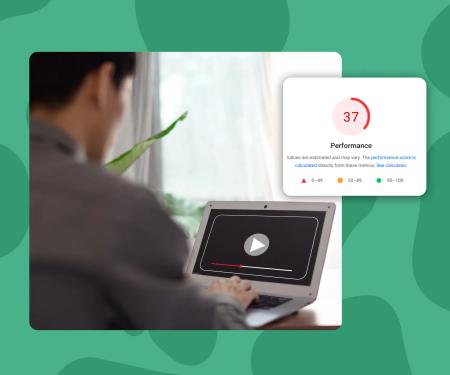
A single uncompressed testimonial video can be 200MB or more. That gets served from your origin server every time someone visits the page. Your server slows down, your PageSpeed score drops, and visitors on mobile connections give up before the video loads.
Video needs a dedicated CDN, adaptive bitrate streaming, and compression that adjusts to the viewer's connection speed. That's what video hosting platforms exist to provide.
How to choose the right video host for testimonials
You need a host that handles three things well: speed, compliance, and design control.
Speed means your embed loads fast without blocking the rest of the page. Look for lazy loading by default, a global CDN, and adaptive streaming.
Compliance means no third-party tracking cookies loaded on page view. This rules out standard YouTube and most Vimeo embed configurations.
Design control means you can match the player to your brand. Colors, border radius, play button style, no platform watermark. Your testimonial should feel like part of your site, not a widget bolted on.
Vimeo Pro starts at around $20/month and gives you some control, but it still loads third-party scripts and requires cookie consent in most EU configurations. Wistia is powerful but starts at $19/month and scales up quickly in price as your video count grows.
SuperMoo embeds load 3x faster than YouTube, Vimeo, or Wistia, and it's GDPR-safe by default with no third-party tracking scripts. No cookie consent banner required. Plans start from EUR9/month.
What is a customer testimonial video on a website?
A customer testimonial video is a short recorded clip, typically 30 to 120 seconds, in which a real customer describes their experience with a product or service. It's embedded directly on a website page to build trust and support purchase decisions at key conversion moments.
Key concepts
- Adaptive Bitrate Streaming
- A delivery method where the video player automatically adjusts quality based on the viewer's connection speed. A visitor on fast fiber sees 1080p. A visitor on a slow mobile connection sees a lower resolution without buffering. This keeps load times fast across all devices without you having to manage multiple video files manually.
- Lazy Loading (Video)
- A technique where the video player and its assets only load when the video is visible in the viewport, rather than at page load. For pages with multiple embeds or long scroll depths, lazy loading can reduce initial page weight by several hundred kilobytes and significantly improve Largest Contentful Paint scores.
- GDPR-Safe Video Embed
- A video embed that does not set any third-party tracking cookies on page load and does not transmit visitor data to external platforms without prior consent. Standard YouTube and some Vimeo configurations fail this test. A GDPR-safe embed means you don't need a consent gate in front of your video player.
- Play Rate
- The percentage of page visitors who click play on a video. Play rate is distinct from view count. A page with 1,000 visitors and 200 plays has a 20% play rate. Thumbnail quality, placement on page, and video length all directly affect play rate before a single second of the video has been watched.
SuperMoo insights
- We built SuperMoo after watching a client's landing page score drop from 94 to 61 on PageSpeed the day they added three YouTube embeds. The embeds loaded 14 third-party scripts between them, none of which the visitor had consented to. That's the exact problem a purpose-built host solves.
- From looking at embed patterns across our customers' sites, the single biggest conversion mistake isn't video quality or length. It's the auto-generated thumbnail. Most platforms grab a random frame during upload. On a 90-second video, that's often a blink, a mouth half-open, or a cut frame. Setting a deliberate thumbnail takes 2 minutes and consistently produces a measurable lift in play rate.
How to embed a testimonial video the right way: a step-by-step process
Follow this sequence and you'll avoid every mistake covered above.
- Record and trim the video. Aim for 60 to 90 seconds. One speaker, specific results, natural setting.
- Upload to a dedicated video host. Not YouTube. Not your server. Use a host with CDN delivery and GDPR-safe embeds.
- Set a custom thumbnail. Export a still frame where the speaker looks engaged and confident. Upload it explicitly. Don't rely on an auto-generated frame.
- Configure the player to match your brand. Set your brand color, remove platform logos, adjust the border radius to match your site's design system.
- Copy the embed code. Paste it into your page builder. In Webflow, use an Embed element. In most CMSs, use a custom HTML block.
- Disable autoplay. Let the visitor initiate playback.
- Test on mobile. Open the page on your phone and confirm the video loads within 2 seconds on a standard 4G connection.
- Check your PageSpeed score. Run the page through Google PageSpeed Insights before and after adding the video. A properly lazy-loaded embed should add less than 5 points to your LCP score.
Where to place testimonial videos on your website
Placement affects conversion as much as the video itself.
The highest-impact positions are below the hero section on a landing page, next to a pricing table, and on a dedicated testimonials or case study page. These are the moments where a visitor is weighing trust against risk.
Avoid burying testimonials in a footer carousel or an "About" page nobody visits. The video needs to appear at the exact moment the visitor is asking "but does this actually work?"
How many testimonials should you show?
Three to five visible testimonials on a single page is a reasonable range, but this depends on context. A long-form sales page can support more. A short landing page should have one strong testimonial placed near the CTA.
Don't pad with weak testimonials just to fill a section. One specific, credible testimonial beats five vague ones every time.
Should you use a video carousel or individual embeds?
Carousels add JavaScript weight and interaction complexity. Individual embeds are simpler and load faster.
If you have multiple testimonials on one page, consider showing the strongest one as an inline embed and linking the others to a dedicated testimonials page. This keeps your primary page fast while still giving interested visitors access to more social proof.
How to make sure your testimonial videos are GDPR-compliant
This is the part most marketing managers don't think about until something goes wrong.
GDPR and CCPA both require explicit, informed consent before setting tracking cookies. A standard YouTube embed sets those cookies the moment the page loads. This means every visitor to your testimonial page technically receives a cookie without consent.
The practical fix is using a video host that doesn't set third-party tracking cookies at all. This removes the compliance problem entirely. You don't need a consent banner for the video player. Visitors see the video immediately with no friction.
If you're already using YouTube and can't switch right now, a privacy-enhanced mode (youtube-nocookie.com) reduces but doesn't eliminate the compliance risk. It's a workaround, not a solution.
Always check with your legal team on your specific situation. Cookie law varies by country and is enforced with increasing frequency.