
What does Wistia actually cost?
Wistia's free plan lets you host 10 videos. After that, you're looking at their Plus plan at $19/month, Pro at $79/month, and Advanced starting at $319/month.
That's a steep ladder. And if you want analytics, A/B testing, or to remove Wistia's branding, you're climbing fast.
The Advanced tier is where most growing teams end up when they want the full feature set. $319/month is a real budget line for a small business or early-stage team.
What do you actually get for that price?
Wistia does several things genuinely well. It's worth being honest about that before anything else.
Where Wistia earns its money
The analytics are strong. Heatmaps, engagement graphs, viewer drop-off by second — if you're selling a SaaS product and obsessing over which part of your demo video loses people, that data is useful.
Wistia's player is clean and reliable. It loads consistently, looks professional out of the box, and integrates with HubSpot and Marketo without friction.
For teams running webinars or events natively inside one platform, Wistia Channels gives you a branded content hub. That's a real differentiator if you need it.
Where the pricing stops making sense
Here's the problem. Most small businesses and early-stage teams don't need heatmaps, Marketo sync, or a native webinar tool.
They need their videos to load fast, look good on their site, and not require a cookie consent banner just because someone hit play.
Wistia charges for features you may never touch. And you pay for them every single month whether you use them or not.
Remove Wistia's logo from your player? That requires a paid plan. Control the player color to match your brand? Also gated. You're paying for the privilege of not advertising their product on yours.
How does Wistia compare to SuperMoo on price?
Here's a straightforward comparison across the things most small teams actually care about.
The pricing gap is real. But the more important difference for a lot of teams is the GDPR situation.
Why does GDPR matter for your video player?
Wistia drops third-party tracking scripts when someone watches a video on your site. That means you technically need a cookie consent banner to stay compliant in the EU.
If you're targeting European visitors, or if you just hate the UX friction of a consent popup, that's a meaningful problem. SuperMoo is GDPR-safe by default. No third-party tracking scripts, no cookie consent banner required.
You don't have to configure anything or pay extra. It just works that way from the start.
---CTA---
Does Wistia's player load faster than YouTube or Vimeo?
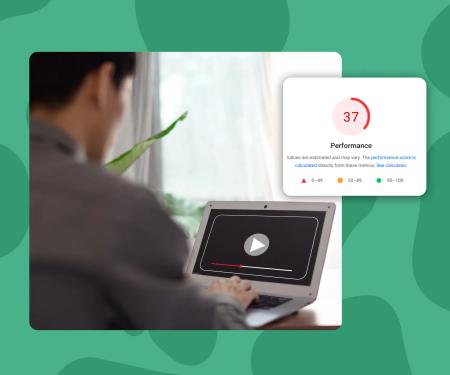
Wistia is faster than YouTube when it comes to removing autoplay ads and keeping the viewer experience clean. But it still carries a significant JavaScript payload that affects your Core Web Vitals score.
If you're running a Webflow site and your PageSpeed score matters to you, every third-party embed has a cost. Wistia's embed is no exception.
SuperMoo embeds load 3x faster than YouTube, Vimeo, or Wistia. That gap shows up directly in your Largest Contentful Paint score, which affects both user experience and search ranking.
How to decide if Wistia is worth it for you
Ask yourself four questions before renewing or signing up.
- Do you actively use video analytics deeper than basic play counts and watch time?
- Do you need native CRM integrations like HubSpot or Marketo synced to video data?
- Are you running live webinars or building a content channel that lives inside your video host?
- Is your team big enough that the $79-$319/month range is genuinely a small line item?
If you answered yes to most of those, Wistia is a legitimate choice and the price reflects real capability.
If you answered no to most of them, you're paying for a tool that was designed for a larger team with different priorities.
What do you lose by switching away from Wistia?
Being direct: you lose the deep analytics. Heatmaps and per-viewer engagement tracking don't exist at the SuperMoo price point.
You also lose the native webinar and events feature. If that's something you actually use, keep Wistia or use a dedicated tool like Riverside or StreamYard for events.
What you gain is a faster embed, full design control from day one, no GDPR headaches, and a bill that doesn't scale uncomfortably as your video library grows.
How hard is it to switch from Wistia?
Switching is less painful than it sounds. Here's how it typically goes.
- Export your video files from Wistia (download originals from your media library).
- Upload to your new host.
- Swap the embed codes on your site. In Webflow, that means replacing the embed component. In most other builders, it's the same process.
- Check your most important pages with PageSpeed Insights to confirm the load improvement.
- Cancel Wistia before your next billing date.
The whole process for a 20-video library usually takes an afternoon. The embed swap is the biggest time cost, and even that is mostly copy-paste work.
What is Video hosting?
Video hosting is a paid service that stores your video files and delivers them to website visitors via an embedded player. Pricing typically scales by video count, bandwidth, or feature access. Costs range from free (with platform branding) to several hundred dollars per month for enterprise analytics and integrations.
Key concepts
- Core Web Vitals
- A set of Google metrics that measure real-world page experience. The most relevant for video is Largest Contentful Paint (LCP), which tracks how long it takes the largest visible element on screen to load. A heavy video embed can push your LCP above Google's 2.5-second threshold, hurting both ranking and user experience.
- GDPR-safe video hosting
- A video player that doesn't fire third-party tracking or advertising scripts when it loads on your site. Standard embeds from YouTube, Vimeo, and Wistia all set cookies that technically require user consent under EU law. A GDPR-safe host processes playback without those scripts, removing the need for a cookie consent banner.
- Player branding
- The logo, color scheme, and visual identity of the video player itself. Wistia and YouTube show their own branding on embedded players by default. Removing that branding typically requires a paid plan. Full player customization means changing colors, border radius, play button style, and thumbnail without any third-party logo visible.
- Video engagement analytics
- Data about how viewers interact with a specific video. Basic analytics include total plays and average watch time. Advanced analytics, like Wistia's heatmaps, show exactly which seconds were replayed, skipped, or where viewers dropped off. This level of detail is useful for sales and SaaS demo videos but rarely needed for standard marketing or portfolio content.
SuperMoo insights
- We built SuperMoo after running a Webflow agency and watching clients pay $79/month for Wistia when all they actually needed was a fast, clean player with their own brand colors. The analytics features sat completely unused. The Wistia logo showed up on every video. It felt like paying for a restaurant meal and being handed someone else's menu.
- The GDPR issue is the one that surprises people most. When we tell clients their Wistia embed is technically triggering cookie consent requirements, they're usually shocked. They assumed a professional video tool would handle that automatically. With SuperMoo, no tracking scripts fire on the embed, so the consent banner question never appears.