
What is a custom branded video player?
A custom branded video player is a video embed where you control the visual design. That means your colors, your play button, your thumbnail, and zero logos from a third-party platform.
Most websites use default players from YouTube, Vimeo, or Wistia. Those players show the platform's own branding. Sometimes that's a logo in the corner. Sometimes it's a wall of competitor recommendations the moment your video ends.
A custom branded player removes all of that. The player looks like it belongs to your site, because it does.
Why do default video players hurt your brand?
When someone watches a video on your website, you want them thinking about you. A YouTube player breaks that. The moment the video ends, YouTube surfaces related videos from other creators, including your competitors.
Vimeo hides its logo behind a paid plan, but even then, the player's aesthetic is Vimeo's, not yours. You get limited color control and no real flexibility over the play button or interface shape.
Wistia gives you more control, but charges a significant premium for it. Their entry-level plan starts at $19/month and limits you to 10 videos.
Every one of these options puts someone else's design decisions on your website.
What does "no branding" actually mean?
No branding means visitors see nothing that identifies the video platform. No logo. No watermark. No end-screen recommendations. No links back to a platform profile.
What they see instead is your thumbnail, your play button style, and your color scheme. The player feels native to your site.
Why does this matter more than you think?
Brand consistency builds trust. A 2021 study by Lucidpress found that consistent brand presentation increases revenue by an average of 23%. Your video player is part of that presentation.
If your website is polished but your video player looks like a YouTube embed from 2014, that gap registers. Visitors notice. They may not name it, but it affects how professional your site feels.
What does full design control actually look like?
Full control over a video player means you can change more than just the color of a progress bar. Here is what genuine design flexibility covers:
- Player color -- the controls, progress bar, and background match your brand palette
- Play button shape and style -- round, square, minimal, bold
- Border radius -- sharp corners or rounded, depending on your design system
- Thumbnail -- a custom image you upload, not an auto-generated frame
- Autoplay and mute behavior -- set defaults that make sense for your use case
- No end-screen clutter -- the video ends and stays on your site, not someone else's
With SuperMoo, you get all of this. Full control over player colors, border radius, play button, and thumbnail with no SuperMoo branding visible anywhere on your site.
What you should NOT have to accept
You should not have to accept a platform logo on your player. You should not have to accept end-screen recommendations. You should not have to pay $100+/month just to remove a watermark.
These are table stakes for anyone who cares about their brand.
Who needs a custom branded video player most?
Anyone who publishes video on a professional website benefits. But a few groups feel the gap most acutely.
Agencies and studios build websites for clients who have strict brand guidelines. A YouTube player on a premium agency build looks careless. Your clients notice, and sometimes they say something.
Brand and marketing teams spend weeks getting colors, typography, and imagery exactly right. One default video player undoes a lot of that work in seconds.
Professional services firms (law, finance, consulting, healthcare) need to project authority. A polished video player signals that you pay attention to details. That matters when someone is deciding whether to trust you.
Webflow designers and developers care about pixel-level control. Default embeds fight with the design system you've carefully built. A custom player fits the grid, the radius, and the color palette you've already defined.
What Is a Custom Branded Video Player and Why Does Your Website Need One?
A custom branded video player is a video playback interface where the visual design (colors, play button, thumbnail, and shape) is controlled by the website owner. The player shows no logos or branding from the underlying video hosting platform, making the embed look native to the site it appears on.
Key concepts
- Custom Branded Video Player
- A video embed where the hosting platform's design is replaced by the website owner's own colors, play button style, and thumbnail. No third-party logos appear. The player looks like a native part of the site rather than an external widget dropped in from another platform.
- White-Label Video Hosting
- A video hosting service that removes its own branding from the player and interface, allowing the publisher to present video under their own brand identity. White-label hosting is distinct from platforms like YouTube, where platform branding is always present and cannot be fully removed at any price tier.
- Core Web Vitals
- A set of performance metrics defined by Google that measure real-world user experience on web pages. They include Largest Contentful Paint (loading speed), Interaction to Next Paint (responsiveness), and Cumulative Layout Shift (visual stability). Heavy video embeds from YouTube or Vimeo can negatively affect all three scores.
- Third-Party Tracking Scripts
- JavaScript files loaded from external platforms (like YouTube or Google Analytics) that collect visitor data when a page loads. When you embed a YouTube video, YouTube's tracking scripts fire automatically. These scripts can slow page load times and may require GDPR cookie consent disclosures even if the visitor never plays the video.
- Player Customization
- The range of visual and behavioral settings available for a video player. This includes color of controls and progress bar, shape of the play button, border radius, custom thumbnail image, autoplay behavior, and whether end-screen content or platform logos appear after playback. Platforms vary widely in how much customization they allow at each pricing tier.
SuperMoo insights
- We built SuperMoo because our Webflow agency kept running into the same problem: we'd spend weeks perfecting a client's brand, then drop in a YouTube embed and immediately undercut all of it. The red YouTube play button is not compatible with most brand guidelines. Neither is the Vimeo logo on the free plan. We needed a player that did what we said, looked how we wanted, and didn't slow down the pages we'd worked hard to optimize.
- The GDPR angle catches people off guard more than almost anything else. When you embed a YouTube video, YouTube drops cookies and fires tracking scripts before the visitor even hits play. That means your cookie consent banner needs to cover a video you didn't ask to be tracked by. SuperMoo uses no third-party tracking scripts, so there's nothing to consent to. We've had clients remove their cookie banners entirely after switching, which is a better experience for everyone.
How does a custom branded video player affect performance?
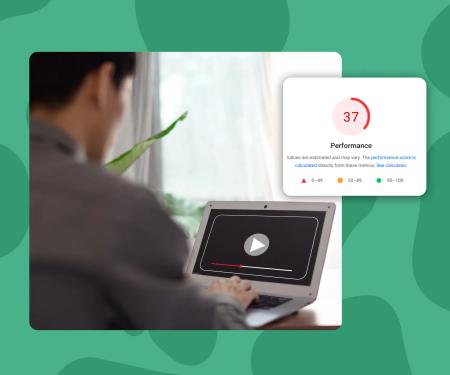
This part surprises most people. Default players from YouTube and Vimeo are not lightweight. A single YouTube embed adds roughly 500KB to your page and fires multiple third-party tracking scripts on load.
Those scripts slow your page. They hurt your Core Web Vitals score. And they often trigger cookie consent banners because of the tracking data YouTube collects.
SuperMoo embeds load 3x faster than YouTube, Vimeo, or Wistia. And because SuperMoo doesn't use third-party tracking scripts, it's GDPR-safe by default. No cookie consent banner required just because you added a video.
So a custom branded player isn't just better looking. It's better for your page speed and your compliance posture.
How do you add a custom branded video player to your website?
The process depends on your platform, but with SuperMoo it takes four steps:
- Upload your video to SuperMoo
- Set your player colors, play button style, border radius, and thumbnail in the player settings
- Copy the embed code
- Paste it into your website (including Webflow, WordPress, Squarespace, or raw HTML)
No developer required. The embed is a single iframe. Your design choices persist every time the player loads.
What does a custom branded video player cost?
The range is wide. Wistia's Plus plan (which unlocks more customization) runs $79/month. Their Pro plan is $319/month.
SuperMoo starts at EUR9/month. You get full player customization, no branding, GDPR-safe hosting, and fast load times at that entry price.
You don't need an enterprise budget to present video professionally.
Is a custom branded player worth it for a small website?
Yes, if your brand matters to you. The size of your site isn't the point. The point is whether the video player reflects the same care you put into the rest of your design.
A freelance consultant with one hero video benefits from a clean, branded player just as much as a 50-person agency. The professionalism of the experience is the same regardless of traffic volume.